

Setting Up Email Monitoring
Aegis Defender works by monitoring emails for risk signals such as urgency, emotional pressure, and impersonation. Each paid (subscribed) member may configure up to two email addresses to be monitored.
We currently support the following email providers:
Gmail
Yahoo! Mail
Outlook Mail
Hotmail
You may continue to use your favorite email client, like Apple Mail, Gmail, Thunderbird, Spark Mail, Outlook, and more - we only need to connect your underlying mailbox account to Aegis Defender for monitoring.
To set up a mailbox for monitoring, follow these steps:
Log into the Aegis Defender web application at https://app.aegisdefender.com.
Go to your profile, which can be found in the lower left-hand side of the page.
Under the Email section, select the gear (settings) icon next to the email address you would like to monitor.
Select your mail provider from the pop-up screen and authenticate with that provider.
Your mailbox is now set up with automated monitoring. You will receive a Daily Defender email with a summary of our monitoring actions.
NOTE: Please whitelist our email domain to ensure that you receive our Daily Defender email.
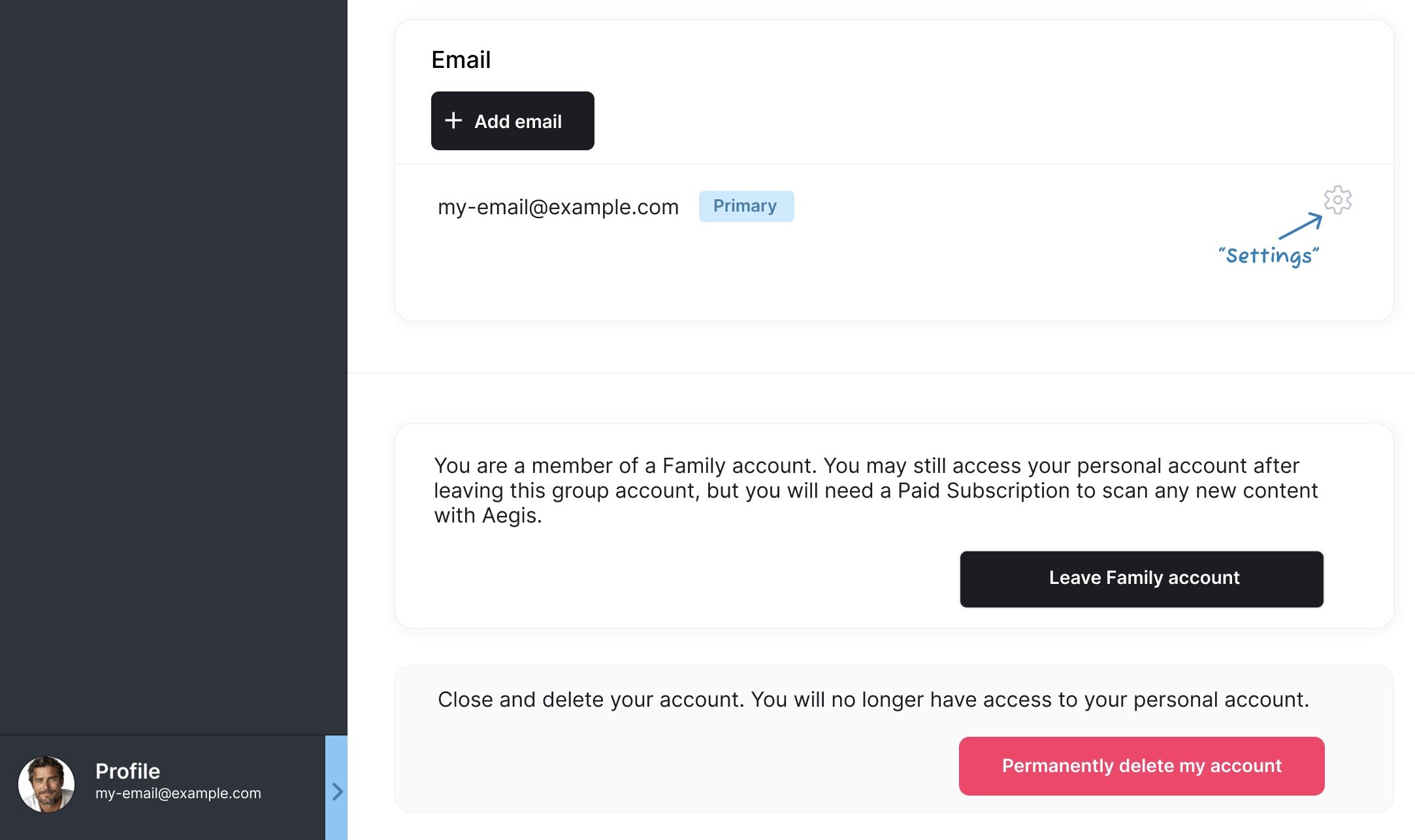
In your profile, click on the gear (“settings”) icon to set up monitoring.
